
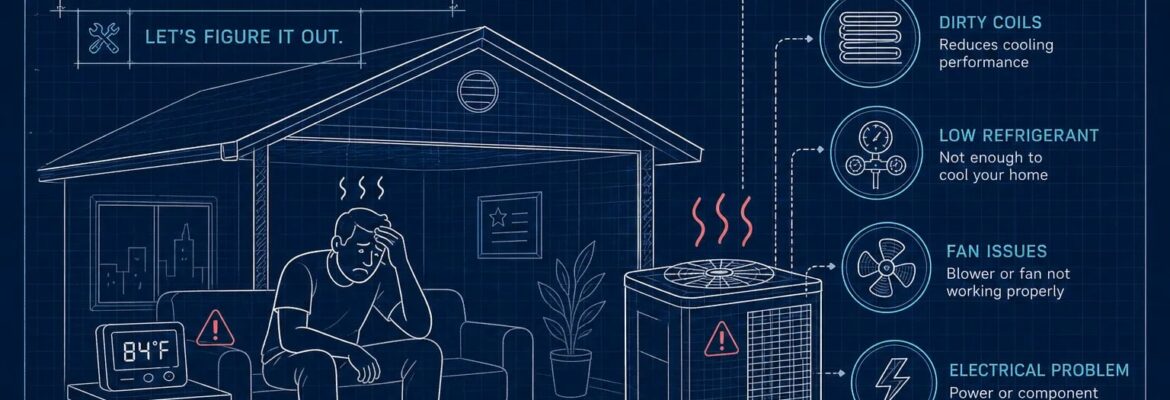
If you’re asking why your AC is not cooling your house in Houston, you’re not alone, this is one of the most common calls we get at Titan Pro Services every summer. Your AC is running. You can hear the compressor outside, the vents are blowing, and the thermostat is set to 72°F. But it’s 2 p.m. in August and your house is sitting at 82°F. In Houston, that’s not just uncomfortable, it’s a genuine health risk, especially for kids and older adults.
In our experience at Titan Pro Services, many homeowners jump straight to the worst-case scenario: dead compressor, failed system, full replacement. The good news is that the actual cause is almost always far more specific and far more fixable. We handle dozens of these calls every summer across Houston, Katy, and Sugar Land, and the problem traces back to one of a handful of identifiable issues: a clogged filter, a refrigerant leak, a frozen evaporator coil, a thermostat fault, or leaky ductwork.
This article walks through each of those causes, what you can safely check on your own, and when you need a technician to run a real diagnosis before spending a dollar on repairs.
Why Houston’s Climate Makes Your AC Work Harder
The humidity problem your AC is fighting every hour
Your AC system in Houston isn’t just cooling your air. It’s doing two jobs simultaneously: sensible cooling, which lowers air temperature, and latent cooling, which removes moisture from the air. When outdoor humidity is high, the evaporator coil spends a significant portion of its capacity on dehumidification, leaving less output available for actual temperature reduction.
Houston frequently experiences very high dew points in summer, often ranging through the 60s and into the 70s°F, which means your system is constantly splitting its effort between drying and cooling the air at the same time, before a single component problem is even factored in.
How peak heat shrinks your system’s cooling capacity
AC equipment is rated at roughly 95°F outdoor conditions. For every degree above that threshold, cooling capacity drops by approximately 1%. On a Houston day that pushes 102°F with heavy humidity, a correctly sized, perfectly functioning system is already working at a deficit of around 7% before any mechanical issues come into play.
This context matters because it explains why a problem that seemed manageable in May becomes unbearable by July. A slow refrigerant leak or a dirty coil that barely registered in spring will show up hard once outdoor temperatures climb.
Why Is My AC Not Cooling My House in Houston? The Most Likely Causes
A clogged filter and dirty evaporator coil
A restricted air filter is the single most common cause of poor cooling in residential systems. It cuts airflow across the evaporator coil, which causes the coil to get too cold, freeze over, and eventually stop transferring heat from your indoor air entirely. At that point, the system is running but accomplishing nothing.
Dirty evaporator coils compound the problem. Houston’s humidity means condensation is constantly forming on the coil surface, and airborne dust sticks to wet surfaces fast. Over time, that coating acts as insulation and kills heat transfer efficiency. Check your filter first. If it looks gray and matted and you can’t see light through it when you hold it up, pull it out and replace it before doing anything else. Note that inspection results can vary depending on filter type, so consult your system’s manual if you’re unsure.
Low refrigerant from a slow leak
Refrigerant doesn’t deplete on its own. If your system is low, there is a leak somewhere in the line set, coil, or fittings. Low refrigerant means the system can’t absorb enough heat from your indoor air, so the AC runs constantly but barely moves the temperature needle. That steady runtime with no results is a classic refrigerant leak sign.
Other refrigerant leak signs include hissing or bubbling sounds near the indoor unit, ice forming on the refrigerant lines or frozen evaporator coil, and an AC that blows slightly cool air but never reaches the setpoint on a hot afternoon. Simply topping off the refrigerant without finding and fixing the leak means the exact same problem returns within weeks. Any technician who skips the leak search is doing you a disservice.
Thermostat not cooling, or not calling for cooling at all
A thermostat set to “Fan Only” instead of “Cool” circulates room-temperature air through your vents, which feels exactly like the system is broken. Faulty thermostat sensors, dead batteries, or wiring issues can also cause the unit to short-cycle or never call for full cooling, even when the setpoint looks correct on the display.
Thermostat not cooling the house is also one of the most commonly overlooked starting points for diagnosis. Before assuming the worst, confirm the thermostat is set to Cool mode, the fan is set to Auto, and the display is active with a fresh set of batteries.
Duct Leaks: The Houston-Specific Cooling Drain Most Homeowners Miss
What duct leaks actually do to your cooling output
According to guidance from the U.S. Department of Energy and ENERGY STAR, duct leakage can account for a substantial portion of lost conditioned air, often cited in the range of 20, 30% in typical homes, before it ever reaches the rooms you’re trying to cool. Your air handler pushes cold air through the ducts, but a significant portion escapes through gaps at joints and connections, leaving rooms warm and forcing the system to run longer to compensate.
Houston attics regularly reach 130, 150°F in summer. Any cooled air escaping into that space is immediately overwhelmed, and leaky return ducts can actually pull that superheated attic air back into the system, increasing the cooling load even further.
Signs your ducts may be the real problem
Uneven cooling is the most telling indicator. If one room stays comfortable while another is consistently warm despite the vent being open, the issue often isn’t the equipment, it’s where the air is going before it gets there. Higher-than-expected energy bills paired with reduced comfort also point toward duct problems rather than a failing unit.
You can do a basic check by placing your hand near each supply register while the system is running. Noticeably weak airflow in specific rooms, compared to others, warrants a closer look from a technician who can test duct pressure and pinpoint where the losses are happening.
Safe DIY Checks to Run Before Calling a Technician
Start here: thermostat, filter, and breaker
Set the thermostat to Cool mode and lower it a few degrees below the current room temperature. Switch the fan setting to Auto, not On. If the display is blank, replace the batteries. Dead thermostat batteries can cause unexpected behavior and generate service calls that turn out to be a simple fix.
Pull the air filter and hold it up to light. If you can’t see through it, replace it before doing anything else. Then check your breaker panel for the AC circuit. A tripped breaker resets once, but if it trips again immediately after you reset it, stop there and call a professional. That’s an electrical fault, not a fluke.
Check the outdoor unit and your vents
Walk outside and confirm the condenser fan is spinning, the unit isn’t buried in debris, and there’s at least two feet of clearance around all sides. If you see ice on the refrigerant lines or on the unit itself, turn the system off and let it thaw for a couple of hours before restarting. Running a frozen system forces the compressor to work under stress and can turn a moderate repair into a major one.
Inside, walk each room and confirm that supply vents are open and not blocked by furniture or rugs, and that return air grilles aren’t covered. Blocked return air is a common cause of restricted airflow that mirrors more serious mechanical failures.
Signs the Problem Needs a Professional, and What Repairs Cost in Houston
Refrigerant leaks, frozen coils, and electrical failures
Hissing or bubbling near the indoor unit, ice that returns after thawing, and an AC that blows slightly cool air but never reaches setpoint are clear signals of a refrigerant issue. All three require a licensed technician with manifold gauges and leak-detection equipment to confirm and repair properly.
A failed run capacitor is one of the most common summer repair calls across the Houston area. The compressor or outdoor fan won’t start properly, the unit may hum without fully engaging, and the house heats up fast. Capacitors are a relatively straightforward fix when caught early. Compressor failures are far less common but significantly more expensive, and they frequently happen because smaller problems, like low refrigerant or dirty coils, went unaddressed long enough to cause compressor damage.
Realistic repair cost ranges for Houston homeowners in 2026
Knowing what repairs typically cost helps you evaluate options before committing to anything. Here are realistic 2026 ranges for the most common failures in the Houston area:
- Capacitor replacement: $150, $400
- Refrigerant leak repair: $300, $2,000 depending on location and severity
- Evaporator coil replacement: $1,200, $3,500
- Compressor replacement: $1,500, $5,000 depending on system size and refrigerant type
These ranges assume the right problem gets diagnosed correctly the first time. Replacing a capacitor when the real issue is a refrigerant leak, or cleaning coils when the root cause is duct failure, means paying twice. A thorough diagnostic before any repair authorization is what keeps those costs predictable.
How a Proper Diagnosis Finds the Real Problem Without Guessing
Why guessing costs more than diagnosing
The most expensive HVAC service call isn’t the diagnostic. It’s the second repair bill after the first one fixed the wrong thing. A proper diagnosis with calibrated gauges, airflow measurements, and a full system inspection gives you a clear picture of what’s actually wrong before a single repair dollar is committed.
This isn’t about finding reasons to sell parts. It’s about confirming what the system actually needs so you can make an informed decision. That distinction matters, especially in an industry where high-pressure upselling is common.
What Titan Pro’s $79 inspection covers
Titan Pro Services offers a flat-rate $79 diagnostic that includes a 21-point system inspection. That covers refrigerant pressure readings, evaporator and condenser coil condition, thermostat calibration, airflow measurements at supply and return, electrical component checks including capacitors and contactors, condensate drain inspection, and more. Pricing, scope, and availability are subject to confirmation when you book, visit the Titan Pro Services website for current details.
After the inspection, you get a clear written explanation of what’s wrong, what it costs to fix, and what can wait. No guessing, no pressure, no upselling. The decision stays with you. Same-day appointments are available across Greater Houston, so you’re not waiting days in August heat to find out what’s going on with your system.
Get a Real Answer Before Spending Anything
Houston AC not cooling your home is almost always one of a handful of specific, fixable problems, a clogged filter, a refrigerant leak, a frozen evaporator coil, a thermostat fault, or leaky ductwork. Most of them don’t require a full system replacement. The combination of Houston’s heat and humidity means these problems escalate faster here than in most other climates, which is exactly why catching them early matters.
If the DIY checks above didn’t surface a clear answer, or if the problem came back after a quick fix, a professional diagnosis is the right next step, not a guess and a big repair bill. If you’re still asking why your AC is not cooling your house in Houston, the answer is almost certainly one of the issues covered here, and it’s diagnosable before you spend a dollar on parts.
For Houston homeowners dealing with an AC that isn’t keeping up, the $79 flat-rate diagnostic and 21-point inspection from Titan Pro Services is the fastest way to get a real answer without pressure or surprises. Call Titan Pro Services, book same-day, and walk away knowing exactly what your system needs, nothing more.
Leave A Comment